
Obsidian Compatibility
Overview
The theme provides compatibility support for Obsidian's official Markdown extension syntax through the vuepress-plugin-md-power plugin, enabling Obsidian users to write documentation using familiar syntax.
Currently supported Obsidian extension syntax includes:
- Wiki Links - Syntax for inter-page linking
- Embeds - Embed content from other files into the current page
- Callout - Highlight important information with styled containers
- Comments - Add comments visible only during editing
No plans to support extension syntax provided by Obsidian's third-party community plugins
Configuration
Obsidian compatibility features are all enabled by default. You can selectively enable or disable them through configuration:
export default defineUserConfig({
  theme: plumeTheme({
    plugins: {
      markdownPower: {
        obsidian: {
          wikiLink: true,    // Wiki Links
          embedLink: true,  // Embeds
          callout: true,    // Callout
          comment: true,    // Comments
        },
        pdf: true,          // PDF embed functionality
        artPlayer: true,    // Video embed functionality
      }
    }
  })
})
Configuration Options
Wiki Links
Wiki Links are syntax used in Obsidian for linking to other notes. Use double brackets [[]] to wrap content to create internal links.
Syntax
[[filename]]
[[filename#heading]]
[[filename#heading#subheading]]
[[filename|alias]]
[[filename#heading|alias]]
[[https://example.com|External Link]]
Filename Search Rules
When using Wiki Links, filenames are matched according to the following rules:
Match Priority:
- Full Path - Exact match against file paths
- Fuzzy Match - Match filenames at the end of paths, prioritizing the shortest path
Path Resolution Rules:
- Relative paths (starting with
.): Resolved relative to the current file's directory - Absolute paths (not starting with
.): Searched throughout the document tree, prioritizing the shortest path - Directory form (ending with
/): MatchesREADME.mdin that directory
Example:
Assuming the following document structure:
docs/
├── README.md
├── guide/
│   ├── README.md
│   └── markdown/
│       └── obsidian.md
In docs/guide/markdown/obsidian.md:
| Syntax | Match Result |
|---|---|
[[obsidian]] | Matches docs/guide/markdown/obsidian.md (matched via filename) |
[[./]] | Matches docs/guide/markdown/README.md (relative path) |
[[../]] | Matches docs/guide/README.md (parent directory) |
[[guide/]] | Matches docs/guide/README.md (directory form) |
Examples
External Links:
Input:
[[https://example.com|External Link]]Output:
Internal Anchor Links:
Input:
[[npm-to]]  <!-- Search by filename -->
[[guide/markdown/math]]  <!-- Search by file path -->
[[#Wiki Links]]  <!-- Heading on current page -->
[[file-tree#Configuration]]  <!-- Search by filename, link to heading -->
Output:
Obsidian Compatibility > Wiki Links
Obsidian Official - Wiki Links
Embeds
The embed syntax allows you to insert other file resources into the current page.
Syntax
![[filename]]
![[filename#heading]]
![[filename#heading#subheading]]
Filename search rules are the same as Wiki Links.
Resources starting with / or having no path prefix like ./ are loaded from the public directory
Image Embeds
Syntax:
![[image]]
![[image|300]]
![[image|300x200]]
Supported formats: jpg, jpeg, png, gif, avif, webp, svg, bmp, ico, tiff, apng, jfif, pjpeg, pjp, xbm
Example:
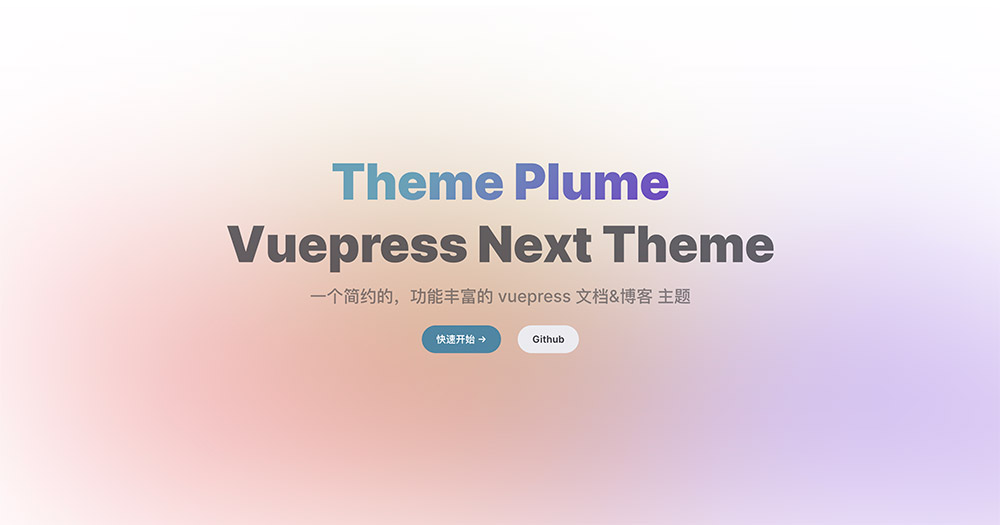
Basic Image
![[images/custom-hero.jpg]]Set Width
![[images/custom-hero.jpg|300]]Set Width and Height
![[images/custom-hero.jpg|300x200]]PDF Embeds
Note
PDF embeds require the markdown.pdf plugin to be enabled for proper functionality.
Syntax:
![[document.pdf]]
![[document.pdf#page=1]]  <!-- #page=1 means first page -->
![[document.pdf#page=1#height=300]]  <!-- #page=page number #height=height -->
Supported formats: pdf
Audio Embeds
Syntax:
![[audio file]]Supported formats: mp3, flac, wav, ogg, opus, webm, acc
Video Embeds
Note
Video embeds require the markdown.artPlayer plugin to be enabled for proper functionality.
Syntax:
![[video file]]
![[video file#height=400]]  <!-- Set video height -->
Supported formats: mp4, webm, mov, etc.
Content Fragment Embeds
Content fragments under a specified heading can be embedded using #heading:
Input:
![[my-note]]
![[my-note#Heading One]]
![[my-note#Heading One#Subheading]]
Obsidian Official - Insert FilesObsidian Official - File Formats
Callout
Callout is a syntax for highlighting important information, similar to VuePress's ::: hint container syntax.
Syntax
> [!note]
> Content
Optional Title:
> [!tip] Custom Title
> Content
Types
Callout supports the following types, with aliases automatically mapped to their corresponding primary types:
| Type | Aliases | Description |
|---|---|---|
note | quote, cite | Notes, quotes |
tip | hint | Tips, hints |
info | todo | Information, todos |
success | check, done | Success, done |
warning | question, help, faq | Warnings, questions, help |
caution | attention, failure, fail, missing, danger, error, bug | Caution, failure, danger |
important | example | Important, examples |
details | abstract, summary, tldr | Details, summary |
Examples
Basic Usage:
Input:
> [!NOTE]
> This is a note callout.
Output:
Note
This is a note callout.
With Title:
Input:
> [!TIP] Useful Tip
> Using `pnpm` can significantly speed up dependency installation.
Output:
Useful Tip
Using pnpm can significantly speed up dependency installation.
Multiple Types:
Input:
> [!success]
> Operation completed successfully!
>
> [!warning]
> This is a warning message.
>
> [!caution]
> Please proceed with caution, this action cannot be undone.
Output:
Success
Operation completed successfully!
Warning
This is a warning message.
Caution
Please proceed with caution, this action cannot be undone.
Details Type:
The details type renders as an HTML <details> element, supporting collapse/expand:
Input:
> [!details]
> Click to expand more content
>
> This is hidden content.
Output:
Details
Click to expand more content
This is hidden content.
Comments
Content wrapped in %% is treated as a comment and will not be rendered on the page.
Syntax
Inline Comments:
This is an %%inline comment%% example.Block Comments:
%%
This is a block comment.
It can span multiple lines.
%%
Examples
Inline Comments:
Input:
This is an %%inline comment%% example.Output:
This is an example.
Block Comments:
Input:
Content before the comment

%%
This is a block comment.

It can span multiple lines.
%%

Content after the comment
Output:
Content before the comment
It can span multiple lines.
Notes
- These plugins provide compatibility support and do not fully implement all of Obsidian's functionality
- Some Obsidian-specific features (such as internal link graph views, bidirectional links, etc.) are outside the scope of this support
- When embedding content, the embedded page also participates in the theme's build process
- PDF embeds require the
markdown.pdfplugin to be enabled simultaneously - Video embeds require the
markdown.artPlayerplugin to be enabled simultaneously - Embed resources starting with
/or using./form are loaded from thepublicdirectory

